

Smart Home Retrofit: Adding Automation to an Existing Australian Home (2026 Guide)
Most Australian homes that get automated in 2026 are not new builds. They're existing houses — a 1990s brick home in the Shire, a renovated terrace in the Inner West, a Central Coast weekender — whose owners assumed automation was something you could only do properly with the walls open. The industry itself has moved on from that assumption: retrofit-driven product development was named one of the defining trends at this year's CEDIA Expo, and the best retrofit hardware has never been better.
We retrofit systems across Sydney every week. This is the honest guide to what that actually involves — including the parts that are harder than the brochures suggest.
The good news: most of a smart home retrofits cleanly
Lighting — easier than you think
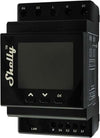
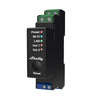
Modern smart lighting modules fit behind your existing switches, and wireless keypads mean scenes without chasing cable through plaster. In most Australian homes the wiring at the switch is perfectly serviceable; what changes is the intelligence behind it. A whole-home lighting retrofit is routinely done in days, not weeks — our lighting control guide covers the options.
Blinds and shading — the retrofit hero
Battery-powered and rechargeable motors have quietly solved the shading retrofit. No cabling, professional-grade control, and the single most noticed upgrade in any project we do. The 2026 shading trend is being driven by exactly these products.
Climate — usually already half done
If you have ducted air conditioning, it very likely has a control interface a professional system can integrate — AirTouch, or the manufacturer's own. Zoning, schedules and pre-cooling on solar follow from there; see our climate control guide.
Audio, security and cameras
Wireless streaming audio retrofits anywhere; in-ceiling speakers need access but rarely major works. Security is often the easiest win of all, because most existing alarm panels can be integrated or replaced in place — our security guide explains the integrated approach.
The honest news: three things retrofit hard
- The network. Every retrofit lives or dies on Wi-Fi, and most existing homes run on the modem the ISP posted out. Budget for proper access points first — here's why. This is non-negotiable and we'll say so in the quote.
- Video distribution. Getting 4K video from a central rack to multiple rooms wants cable. In existing homes we either run it (accessible roof spaces make this feasible more often than people expect), or design around it with per-room sources.
- In-wall wiring for keypads and touchscreens. Wireless keypads solve most of it, but a hardwired touchscreen in a specific spot may mean a wall channel and a patch. We'll always tell you before, not after.
The general rule: wired where possible, wireless where sensible. In a retrofit, the ratio shifts toward wireless — and in 2026 that's a genuinely good outcome rather than a compromise, provided the network underneath is professional.
What a staged retrofit looks like
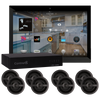
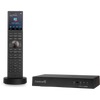
The biggest advantage of retrofitting with a platform like Control4 is that you don't do everything at once. A typical staging we recommend:
- Foundation: network, controller, lighting in main living areas. This is the stage that makes the house feel different.
- Comfort: climate integration, shading in bedrooms and living rooms.
- Experience: multi-room audio, media room, cameras and intercom.
- Everything else: the garage door, the irrigation, the pool — the long tail our 78 ideas post is full of.
Each stage works on its own and none of it is throwaway — the controller you buy at stage one runs stage four. Staging also spreads the cost, which for a whole-home retrofit lands in the same ranges as our packages guide, with a premium of roughly 10–20% over new-build equivalents for access and making-good, depending on the house.
Frequently asked questions: retrofitting a smart home
Can any house be retrofitted?
Practically, yes. Double-brick homes and concrete apartment slabs constrain how — more wireless, more planning — but we've never met a house that couldn't be automated well. The design just has to respect the building.
Will there be holes in my walls?
Sometimes, and a good integrator tells you exactly where before work starts. Most retrofits involve far less making-good than owners fear — lighting modules live behind existing switches and battery blinds need none at all.
Do I have to replace my existing gear?
Rarely all of it. Existing ducted AC, a serviceable alarm, decent speakers — a professional platform's job is to integrate what's worth keeping and replace only what isn't. That audit is part of any quote we do.
Is wireless reliable enough for a whole house?
On a professional network, yes. On the ISP's freebie router, no. Almost every "smart home reliability" horror story we're asked to fix turns out to be a network problem wearing a costume.
Where do I start?
With a conversation about how you live, not a product list. The staging above falls out naturally once we know which rooms matter and what already exists.