

Whole-Home Wi-Fi: Why Your Smart Home Needs a Proper Network
Here's a pattern we see weekly: a client calls about their "faulty" smart home — audio dropping out, cameras going offline, the app slow to respond. We arrive, and the hardware is fine. The problem is a $200 consumer router in a cupboard trying to serve 40+ connected devices through two brick walls. The unglamorous truth of home automation in 2026 is that the network is the system. Everything else — audio, cameras, lighting, climate, voice — rides on it. Here's how to get it right.

Why Your Smart Home Outgrew Your Router
The average Australian smart home now carries a device load no consumer router was designed for: phones, laptops and TVs, plus every speaker, camera, doorbell, keypad, appliance and sensor. A mid-range automated home easily runs 40–80 network devices; a premium one can pass 150. Three things break down at that scale:
- Coverage: one router can't push reliable Wi-Fi through double-brick construction, across multiple storeys, or out to the alfresco and pool — all standard features of Sydney homes
- Capacity: consumer routers struggle to manage airtime across dozens of simultaneous connections, so everything gets a little worse — buffering audio, laggy cameras, slow app response
- Management: when something misbehaves, a consumer setup gives you one option: reboot and hope. A managed network shows you exactly which device, which access point, and why
What a Professional Home Network Looks Like
The architecture we install — built on Ubiquiti UniFi hardware — has four layers:
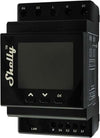
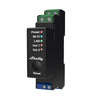
- Gateway/router: a UniFi gateway handling routing, firewall and network management, sized to NBN or fibre speeds with headroom
- Managed switching: PoE switches in the comms cabinet powering and connecting access points, cameras and wired devices — one cable per device, no plug packs
- Wired access points: ceiling-mounted UniFi APs, one per floor or coverage area, each fed by its own Cat6A cable. This is the single biggest difference from consumer mesh systems, which waste wireless capacity relaying between nodes
- Network segmentation: separate VLANs for family devices, smart home hardware, cameras and guests — so a compromised cheap IoT gadget can't see your laptop, and camera traffic doesn't choke the family Wi-Fi
Every automation project we deliver includes this layer by default — it's the foundation under our multi-room audio, CCTV and Control4 installations, and you can browse the hardware in our networking collection.
Mesh Wi-Fi vs Wired Access Points: The Honest Answer
Consumer mesh kits (the three-white-pods products) are a genuine improvement over a single router, and for a small home with modest device counts they can be adequate. But they share one structural weakness: unless each node is wired, the nodes talk to each other over Wi-Fi, consuming the very bandwidth they're supposed to provide, with performance stepping down at each hop. Wired access points sidestep this entirely — every AP has full capacity because its backhaul is Cat6A, not airtime. If you're building or renovating, wire the AP positions. If you're retrofitting, we can usually get cable to ceiling positions with minimal disruption — it's a smaller job than most people assume.

Sizing a Network for a Sydney Home
| Home | Typical Spec | Approx. Cost AUD (installed) |
|---|---|---|
| Apartment / townhouse | Gateway + 1–2 APs, 8-port PoE switch | $1,500 – $3,000 |
| 4-bed single storey | Gateway + 2–3 APs, 16-port PoE, VLANs | $2,500 – $4,500 |
| Two-storey family home | Gateway + 3–4 APs incl. outdoor, 24-port PoE | $4,000 – $7,000 |
| Large / premium home | Redundant gateway, 5+ APs, multiple switches, full segmentation, UPS | $7,000 – $15,000+ |
Figures include hardware, installation, configuration and cabling for accessible AP positions. Double-brick construction, long outdoor runs and comms cabinet build-outs move projects within these ranges.
The Details That Separate a Good Network From a Great One
- PoE everywhere sensible: cameras, access points, intercoms and some touchscreens powered over their data cable — cleaner installs, and one UPS in the cabinet keeps them all alive through a blackout
- UPS backing: a small uninterruptible power supply keeps the network, CCTV and Control4 processor running through the brief outages Sydney's grid still delivers — your security doesn't blink
- Outdoor coverage: a dedicated outdoor-rated AP for the alfresco and pool zone beats hoping the indoor signal reaches — essential if outdoor audio or cameras are in the plan
- Documentation: every network we hand over is labelled and documented, so any future technician — ours or anyone else's — can understand it in minutes
Frequently Asked Questions: Whole-Home Wi-Fi
Will a better network actually fix my smart home problems?
If the symptoms are dropouts, devices going offline, sync failures or slow response, very likely yes — network issues cause the majority of the smart home faults we're called to. We assess the existing network first on every service call, because there's no point tuning hardware that's starving for connectivity.
Is Ubiquiti UniFi overkill for a normal family home?
No — it's priced remarkably close to premium consumer mesh kits while being properly managed and expandable. A 4-bedroom UniFi setup often costs little more than a flagship consumer mesh bundle and outperforms it substantially, particularly through Australian double-brick walls.
Do I need to rewire my house for a proper network?
Usually not. Most homes need only a handful of new cable runs — to ceiling AP positions and the comms cabinet — which we can typically complete in a day through roof and wall cavities. Full structured cabling is a new-build and major-renovation conversation; see our new build guide for what to pre-wire.
What internet speed do I need for a smart home?
Less than you'd think — automation itself is light, because a Control4 system processes locally rather than in the cloud. What consumes bandwidth is streaming video and cloud camera storage. Any solid NBN 100 plan serves most automated homes; the internal network quality matters far more than the headline internet speed.
Can you monitor and support the network remotely?
Yes — managed UniFi networks support secure remote diagnostics, so under a service agreement we can often identify and fix issues without a site visit, and see problems developing before you notice them.
Book Your Free Consultation →