

The Complete Guide to Multi-Room Audio in Australian Homes (2026)
Walk into the kitchen and your music follows you from the living room. Step outside to the alfresco and it picks up seamlessly at exactly the right volume for a dinner party. Hit one button and the same track fills every room in the house. That's whole-home audio — and after installing hundreds of audio systems across Sydney homes, from Paddington terraces to Wahroonga acreages, it remains one of the features our clients say they can't live without. Here's everything you need to know to plan a multi-room audio system in 2026.
What Is Multi-Room Audio?
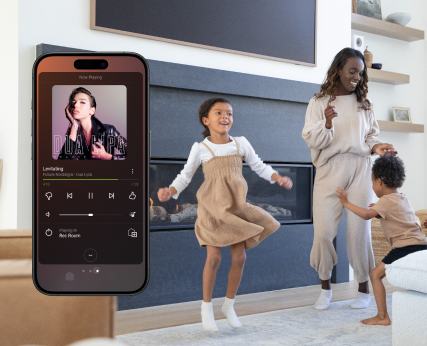
Multi-room audio (also called distributed audio or whole-home audio) is a system that lets you play audio in multiple zones of your home simultaneously — each area independently controllable, or all synchronised together for a party. A well-designed system means you can have jazz in the kitchen while the kids have their playlist in the rumpus room and the master bedroom stays quiet — all from a single interface.
Modern whole-home audio is dramatically more accessible than it was a decade ago. We've installed systems ranging from $2,000 Sonos setups in inner-city apartments to $60,000+ distributed audio systems in multi-level homes across the Northern Beaches and Eastern Suburbs. The technology has matured to where reliability is excellent and operation is genuinely intuitive — but only when it's designed and installed correctly from the start.
Key capabilities of a proper multi-room audio system:
- Independent volume and source control in each room
- Whole-home sync — same track, perfectly in time, across every zone
- Streaming from Spotify, Apple Music, Tidal, internet radio, and local libraries
- Control from a phone app, wall keypad, touchscreen, or voice
- Automation: music that starts, fades, or switches with scenes and schedules
- Integration with your broader smart home — lights that dim when a movie starts, music that fades when the intercom rings
The Two Main Architectures
Before getting into specifics, you need to understand there are two fundamentally different approaches to whole-home audio. The right choice depends on your home type, budget, and whether you're in a new build or retrofitting an existing property.
Option 1: Sonos (Wireless, Self-Contained)
Sonos is the most recognised name in whole-home audio for good reason. Each Sonos product is self-contained — it has its own amplifier, streaming processor, and connects to your Wi-Fi network to stream audio and sync with other Sonos devices. You build your system by adding products: Era 100 bookshelf speakers in the kitchen and bedrooms, an Arc Ultra soundbar on the main TV, Sub for bass, and Sonos Amp units to drive existing in-ceiling speakers.
The 2026 Sonos lineup includes the Era 100 (compact stereo bookshelf), Era 300 (spatial audio with Dolby Atmos support), Move 2 (portable outdoor speaker), Roam 2 (ultra-portable), Arc Ultra (flagship soundbar), and the Sub Mini and Sub for bass. For architectural installs, Sonos Amp pairs with your choice of passive in-ceiling speakers — we typically use Polk Audio or Klipsch for this combination.
Sonos works best for:
- Existing homes where running speaker cable through walls isn't practical
- Apartments and smaller homes with 2–5 audio zones
- Budgets starting around $1,500–$4,000 for a few rooms
- Clients who want simple, intuitive control without a full automation system
- Renters who need to take the system when they move
Sonos trade-offs to be aware of:
- Audio quality, while good, doesn't match a dedicated amplifier driving quality passive speakers
- System performance is entirely dependent on your Wi-Fi — poor wireless coverage means dropouts
- Per-room cost adds up quickly in larger homes (each Sonos Amp is $799+ RRP)
- Less flexible for complex automation sequences without Control4 integration
- Sonos has had software update controversies that affected older hardware — something to factor into long-term planning
Option 2: Distributed Audio Matrix (In-Ceiling + Central Amplifier)
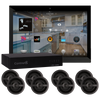
A distributed audio system uses a central amplifier or audio matrix located in a comms cupboard or dedicated AV cabinet, connected via speaker cable to passive in-ceiling or in-wall speakers throughout the home. The amplifier handles all processing and amplification; the in-ceiling speakers themselves have no electronics — just drivers. Streaming sources feed into the matrix, which routes audio to any combination of zones.
This is the architecture we specify for new builds and major renovations across Sydney. The key components include:
- Amplifiers and matrices: Autonomic Mirage, Triad multi-zone amplifiers, or zone-by-zone Sonos Amp units
- In-ceiling speakers: Klipsch PRO-18RC, Monitor Audio C265, Polk Audio 70-LS — quality of speaker matters here
- Streaming sources: Sonos (for streaming), dedicated music servers, Apple AirPlay 2 receivers
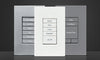
- Control: Control4 keypads and app for unified whole-home control across audio and everything else
Room-by-Room: Audio Zones in a Sydney Home
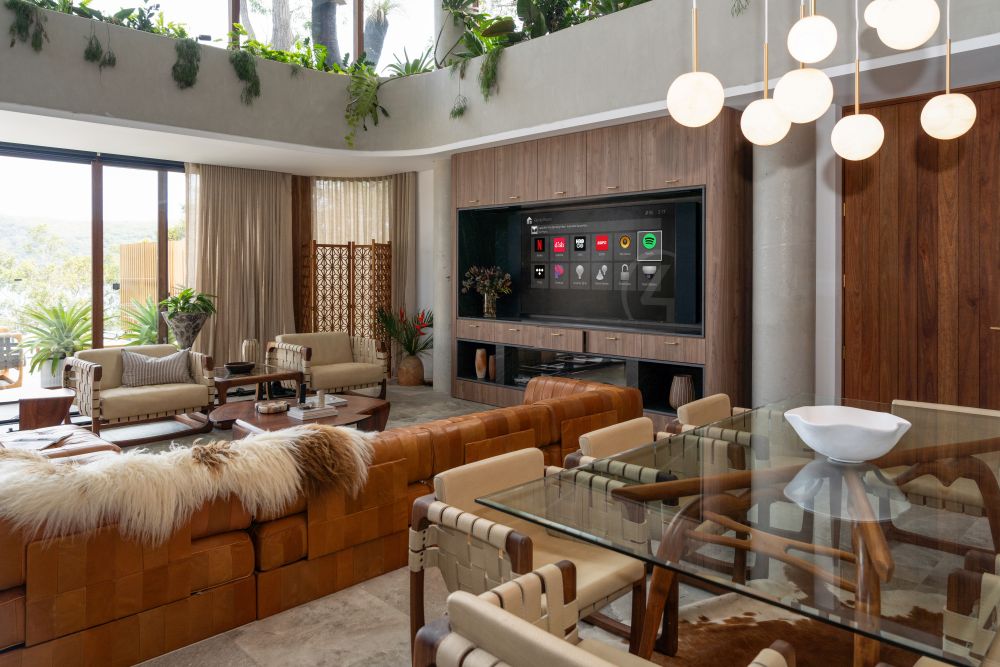
Here's how we typically specify audio zones across a Sydney home, based on what clients actually use and value most:
Living Room and Open Plan
The primary entertainment zone. Most clients want a stereo pair of quality in-ceiling speakers (or bookshelf speakers if the room layout suits) plus a subwoofer for bass. In open-plan homes, the living, dining, and kitchen areas often share one large zone with multiple speakers — but with flexible zoning, you can still separate them when needed. If you have a home theatre in an adjacent space, consider linking it as a second audio source for the living room through Control4.
Kitchen and Alfresco
Two of the highest-use audio zones in any Australian home. The kitchen needs in-ceiling speakers positioned for even coverage over the island and prep areas. The alfresco — a staple of Sydney new builds — should be treated as a separate zone but linked to the kitchen so they can play in sync during entertaining. For exposed outdoor areas, use IP54 or IP65-rated speakers: Polk Audio Atrium, Sonance, or Klipsch AW outdoor series handle Sydney's UV levels and coastal humidity well.
Master Bedroom
Bedside volume control is a common and much-appreciated feature. We typically install a Control4 keypad or Sonos Era 100 at bedside level alongside in-ceiling speakers for a cleaner aesthetic. Wake-up scenes with gradual volume increase from 0% to 20% over 10 minutes are popular — especially combined with gradually brightening smart lights. Bedroom audio should also handle podcasts and audiobooks, which Sonos handles natively through its app and integrations.
Bathrooms
Bathroom audio is one of the highest-ROI upgrades in a renovation, and one of the most frequently overlooked during planning. Small IP44-rated in-ceiling speakers make morning routines noticeably better. Budget approximately $400–$800 per bathroom installed, depending on speaker selection and whether it's a standalone Sonos Amp zone or part of a distributed matrix.
Outdoor Areas and Pool
Pool and garden audio is increasingly popular across Sydney's northern and eastern suburbs. Outdoor-rated speakers must handle UV exposure, temperature swings, and humidity — and for pool surrounds, they should be positioned away from direct water splash. Dedicated outdoor zones with local volume control (either a keypad or a weatherproof outdoor control) are standard in any quality install. We've done everything from simple two-speaker garden setups in Balmain to full multi-zone outdoor cinema setups in Wahroonga.
The Network: Your Audio System's Foundation
More multi-room audio problems come from poor Wi-Fi than from any hardware fault — we see it constantly. Sonos in particular relies entirely on your wireless network: poor coverage, incorrect VLAN configuration, or interference from neighbouring networks cause dropouts, sync failures, and devices appearing offline. For any home with four or more audio zones, we strongly recommend a Ubiquiti UniFi mesh system with properly sized access points, managed switching, and appropriate network segmentation.
Our team designs and installs UniFi networking solutions as part of every multi-room audio project. A quality network for a Sydney home typically costs $2,000–$6,000 installed — and it's what separates a system that works flawlessly for years from one that gets blamed for problems that are really network issues.
Sonos + Control4: The Best of Both Worlds
One of our most popular configurations: Sonos hardware (for its excellent streaming capability, broad service support, and easy music management) integrated into a Control4 smart home system for unified control. This combination gives you:
- One app and one physical interface for lights, climate, security, and audio
- Scenes that automatically involve audio — "Movie" dims lights to 15% and routes living room to the TV audio source; "Dinner" starts your dinner party playlist in kitchen and alfresco at 40%
- Physical keypads in each room to skip tracks, adjust volume, or switch source without reaching for your phone
- Wake-up scenes: bedroom audio gradually increasing in sync with gradually brightening lights
- Party mode: one button sets the whole home playing the same playlist at consistent volumes across every zone
If you're planning a Control4 system for your home, audio integration is one of the highest-value additions you can include from day one. Retrofitting it later is possible but always costs more than planning it upfront.
Multi-Room Audio Pricing in Australia (2026)
| System Type | Zones | Approx. Cost AUD (installed) | Ideal For |
|---|---|---|---|
| Sonos starter (3 units) | 2–3 | $2,000 – $5,000 | Apartments, existing homes |
| Sonos whole home | 4–8 | $5,000 – $12,000 | Medium homes, renovations |
| Distributed audio (in-ceiling) | 4–8 | $8,000 – $22,000 | New builds, major renovations |
| Control4 + distributed audio | 8–14 | $20,000 – $55,000 | Luxury homes, new builds |
| Premium + home theatre | 10+ | $50,000 – $150,000+ | High-end custom builds |
These figures include hardware, cabling, installation, and programming. Exact costs depend on room count, cable run length and complexity, speaker specifications, and whether the project includes networking upgrades. We provide detailed fixed-price proposals after a site visit or free consultation.
What Happens During a Multi-Room Audio Installation
For a new build or major renovation in Sydney, here's the typical installation sequence:
- Design and specification: We work with you to define zones, speaker placement, source requirements, and control interface locations
- Pre-wire stage (during construction): Speaker cable, Cat6A data cable, and conduit run to each zone while walls are open — far cheaper than retro-cabling later
- Rough-in: Back-boxes for in-ceiling speakers confirmed, keypad positions finalised with your builder and electrician
- Fit-off (after plastering): In-ceiling speakers installed and grilles fitted; AV cabinet built out with amplifiers, switches, and streaming hardware
- Programming: Control4 programming for scenes, schedules, and app integration — this is where the system comes to life
- Commissioning and handover: Full system test, app setup on all family devices, and a walkthrough of how everything works
To understand how audio fits into a complete smart home project, read our guide to smart home automation in Sydney.

Frequently Asked Questions: Multi-Room Audio Australia
Can I add multi-room audio to an existing home without running cables?
Yes — and Sonos is purpose-built for exactly this situation. Every Sonos speaker product streams over Wi-Fi and only needs a power point. For an existing Sydney home where opening walls isn't practical, Sonos is the most sensible solution. That said, we always recommend assessing the network first — if your Wi-Fi is poor, streaming will be unreliable regardless of how good the speakers are. In certain rooms where a cleaner finish is worth the effort, we can sometimes run cable through ceiling cavities to install in-ceiling speakers with Sonos Amp, without major renovation.
What is the difference between Sonos and in-ceiling speakers?
Sonos products are active — each unit contains its own amplifier and wireless streaming receiver. In-ceiling speakers are passive — they're purely acoustic devices (drivers in an enclosure) that require an external amplifier. In-ceiling generally delivers better audio quality with a proper amp, looks cleaner (the only visible element is the grille), and is more future-proof since you can upgrade the amplifier without replacing the speakers. The trade-off is infrastructure: in-ceiling requires cable, making it better suited to new builds and renovations than established homes.
Do I need a Control4 system to have multi-room audio?
No — Sonos works perfectly as a standalone system through the Sonos app. But if you're already investing in a Control4 smart home, integrating audio adds significant value at relatively little extra cost. It allows scenes where audio, lighting, climate, and security all respond together — the kind of automation that makes a home feel genuinely intelligent rather than a collection of separate gadgets. See our Control4 guide for Australians for more detail.
How important is the network for multi-room audio?
Critical. A weak Wi-Fi network is the single most common cause of audio dropouts, sync problems, and devices appearing offline. We see it constantly — clients with quality Sonos hardware frustrated by performance issues that are actually caused by a consumer-grade router struggling with 20+ wireless devices. For any home with more than three audio zones, a Ubiquiti UniFi mesh system is the right foundation. We include network assessment in our consultation process and can quote for networking upgrades as part of any audio project.
How much does a multi-room audio system cost to maintain?
Sonos hardware is largely maintenance-free — updates push automatically and the system is self-managing under normal conditions. For Control4-integrated systems, we offer annual service agreements from around $500–$1,200 per year covering software updates, system checks, and priority support. In-ceiling speakers have no moving electronics — just acoustic drivers — making them extremely long-lived. The networking hardware (Ubiquiti switches and access points) typically has a 3–5 year hardware lifecycle before a refresh is appropriate.
Book Your Free Consultation →