

Smart Home Security Systems in Australia: Beyond the Alarm (2026 Guide)
Ask most Australians about home security and they'll describe a 1990s solution: an alarm panel by the door, a siren on the wall, maybe a back-to-base monitoring contract. That model isn't wrong — it's just incomplete. Security has quietly become one of the top reasons households call us, and what they're asking for has changed: they want to see what's happening, control who gets in, and have the house respond intelligently — not just make noise after glass breaks.
This is our complete guide to smart home security in Australia in 2026: the layers, the hardware, the integration that makes it more than a pile of cameras, and what it costs.
Think in Four Layers, Not One Alarm
Professional security design stacks four layers:
- Deterrence — visible cameras, a lived-in look when you're away, perimeter lighting that responds to movement. Most incidents are prevented here, before anything happens.
- Detection — cameras with intelligent analytics, motion and entry sensors, and the alarm layer itself.
- Verification — the layer old-school alarms lack entirely. When something triggers, you (or a monitoring centre) see live footage in seconds and know whether it's an intruder or a possum.
- Response — sirens and monitoring, but also the automated kind: every light in the house to full, blinds up, cameras recording at maximum everywhere.
The Hardware That Matters
Cameras: IP and wired beats Wi-Fi and battery
Consumer Wi-Fi cameras are better than nothing, but for a home worth protecting, professionally installed PoE (power-over-ethernet) IP cameras win on every axis that counts: continuous recording to a local NVR rather than clips to someone's cloud, no batteries to die, no Wi-Fi dropouts at the worst moment, and modern analytics — person and vehicle detection rather than "motion" alerts every time a tree moves. Local recording also means your footage stays in your home, with remote viewing when you want it, rather than living on an overseas server behind a subscription.
Video intercom: the most-used security device you'll own
A quality video door station is daily-driver security: see and speak to whoever's at the gate from your phone, a touchscreen, or the TV — whether you're in the kitchen or in another country. Paired with a door release or gate control, it's also how deliveries, cleaners and trades get managed without hiding keys under pots.
Smart locks and access control
Individual codes for family, cleaner and Airbnb guests; auto-locking at night; a log of who came and went; and revoking access instantly instead of re-cutting keys. In an integrated system, the lock is also a trigger — the kids' code disarms the alarm, turns on their lights and sends you a quiet "home safe" notification.
The alarm layer, integrated
A monitored alarm still has its place — insurers like it, and back-to-base response has real value for some households. The difference in a modern system is that the alarm is one integrated layer, sharing sensors and logic with everything else, rather than a separate island with its own keypad and its own beeps.
Integration Is the Actual Product
Any electrician can mount cameras. What makes a security system is what happens between the devices — and this is where a Control4 platform earns its keep:
- Holiday mode that replays your home's real lighting patterns while you're away — a convincingly occupied house, not a porch light on a timer
- Goodnight scene that locks doors, arms perimeter sensors, closes the garage and kills the downstairs lights in one action
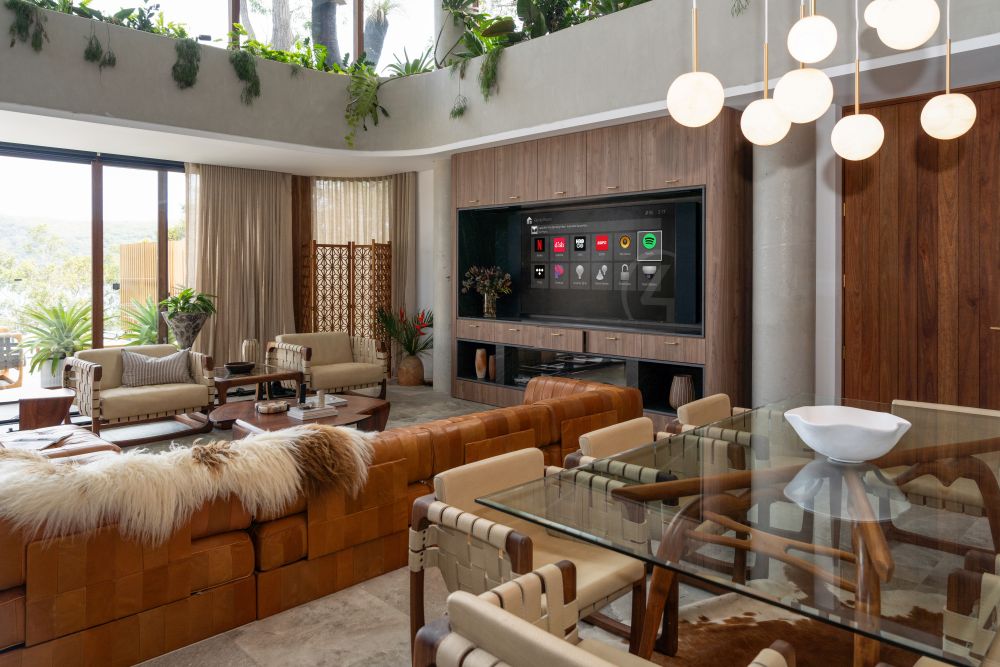
- Doorbell intelligence — the movie pauses and the front door camera appears on the theatre screen
- Alarm response — a 2am perimeter trigger brings every light in the house to full and pushes camera feeds to your phone
- Safe-arrival notifications when the kids' code unlocks the door after school
None of this is possible when the alarm, cameras, locks and lights are four separate apps.
Australian Considerations
Two things worth knowing. First, surveillance law: NSW and other states regulate recording beyond your boundary — cameras should be aimed at your property, not your neighbour's windows, and audio recording rules are stricter than video. Professional design deals with this at placement time. Second, data sovereignty: local NVR recording keeps footage under your control and avoids the subscription-cloud model where a provider's policy change — or price rise — changes your security. Both are conversations we have on every project.
What Smart Home Security Costs in Australia
| Scope | What's Included | Approx. Cost AUD (installed) |
|---|---|---|
| Entry security | Video intercom, smart lock, 2–3 cameras with local recording | $4,000 – $10,000 |
| Whole-home surveillance | 6–8 PoE cameras, NVR, intercom, access control, alarm integration | $10,000 – $25,000 |
| Fully integrated security layer | Above + Control4 integration, scenes, presence simulation, monitoring-ready | $25,000 – $50,000+ |
Cameras and intercoms lean hard on your network — continuous video is the most demanding traffic in the house, which is one more reason the network comes first. For how a security layer fits a broader project, see the packages guide.
Frequently Asked Questions: Smart Home Security
Do I still need a back-to-base monitored alarm?
It depends on your insurance requirements and how you live. Many clients keep or add monitoring for the away-from-home response; others rely on verified self-monitoring — instant camera verification on any trigger. Both work within an integrated system; the wrong answer is a monitored alarm that shares nothing with the rest of the house.
Can you reuse my existing cameras or alarm?
Often, yes. Quality IP cameras can usually join a new NVR, and many existing alarm panels integrate with Control4. We audit what's there before quoting — throwing out working hardware is nobody's idea of value.
Are wireless security cameras good enough?
For a rental or a granny flat, they're a reasonable compromise. For a family home, wired PoE cameras are worth the installation effort: no batteries, no dropouts, continuous recording and better analytics. Security is the one subsystem where "mostly works" isn't good enough.
Who can see my camera footage?
With local NVR recording: you, and anyone you authorise — that's it. Footage stays on hardware in your home. Remote viewing runs through encrypted access from your devices, and nothing depends on a manufacturer's cloud subscription staying alive or affordable.