

78 Home Automation Ideas for Your Australian Home
Whether you're planning a new build in the Hills District, retrofitting a 1990s home in Cronulla, or fitting out a city apartment in Pyrmont, this list covers 78 specific home automation ideas worth considering. Some are standard inclusions in every project we do; others are requests we get from clients with particular lifestyles. All of them are achievable with modern Control4 and Sonos systems.
Lighting Ideas (1–15)
- One-touch "Good Morning" scene: A single button at the bedside triggers gradual bedroom brightening, starts the bathroom light, and activates the kitchen lighting — in sequence, automatically.
- Driveway approach lighting: CCTV camera detects a vehicle entering the driveway and triggers the front path and garage lighting before you've reached the door.
- Stairway nightlights: Motion sensors on each stair landing activate at 5% when movement is detected between 10pm and 6am.
- Cinema mode dimming: "Movie" scene sets the living room to 5%, kitchen to 10%, dims the hallway, and leaves nothing else on — all at the press of one button.
- Pool colour changing: RGB LED pool lighting controlled from your phone — white for swimming, blue for ambience at a dinner party.
- Sunset scheduling: Outdoor and garden lights activate automatically at local sunset time every day, adjusting as seasons change.
- Holiday lighting: Christmas or birthday party lighting scenes with colour-changing fixtures controlled from a phone.
- Under-cabinet kitchen lighting on cooktop activation: A smart relay on the rangehood triggers the under-cabinet LED strip whenever cooking starts.
- Landscape path and garden lighting on a schedule: Path lighting activates at sunset and turns off at midnight with independent circuits for front garden, back garden, and pool area.
- Tunable white bathroom mirror lighting: Mirror light shifts from cool white (6500K) in the morning to warm amber (2700K) in the evening automatically.
- Kids' bedroom sleep mode: At 7:30pm, children's bedroom lighting shifts to red-toned dim, triggered by the bedtime routine scene.
- Circadian lighting throughout the day: The whole home's lighting shifts from cool white in the morning to warm amber by evening on an automatic schedule.
- "Welcome home" lighting scene: Geofencing on your phone detects your arrival and triggers entry and driveway lights before you reach the front door.
- Occupancy-controlled utility area lighting: Laundry, garage, and pantry lights activate on motion detection and switch off after 3 minutes of no movement.
- Party mode with music sync: RGBW fixtures in the living room change colour in rhythm with music playing through the Control4 system.
Entertainment and Audio Ideas (16–27)
- Music that follows you through the home: Start a playlist in the kitchen; as you move to the living room and alfresco, Control4 can automatically follow you or expand zones with one tap.
- Simultaneous independent zones: The adults have jazz in the kitchen at 35% volume; the kids have their playlist in the rumpus room at 50%. Completely independent, from one system.
- Backyard outdoor cinema: A 4K laser projector and motorised screen in the backyard with Sonos outdoor surround sound.
- TV auto-off after inactivity: If the TV has been on with no input activity for 90 minutes after 10pm, the system powers it off.
- Bathroom morning audio: In-ceiling speakers with a Sonos Amp connect the bathroom to the same audio zone as the bedroom — your morning playlist follows you from bed to shower.
- Whole-home party mode: One scene activates a playlist through every zone in the house at appropriate volumes with no individual zone setup needed.
- Alarm-style wake-up audio: Bedroom audio gradually increases from silence to 20% over 10 minutes at your programmed wake time — gentler than a sudden alarm.
- Whole-home intercom system: Two-way audio between the entry, outdoor, kitchen, and bedrooms.
- Parental content scheduling for TVs: Control4 can disable TV inputs during homework hours (4pm–6pm weekdays) or after a set bedtime — per room, per day of the week.
- Sports mode across indoor and outdoor: Saturday afternoon sport: the living room and alfresco TV both activate on the same channel simultaneously.
- Intercom audio alerts from the front door: The video doorbell rings through every audio zone in the home — you'll always hear it regardless of where you are.
- Volume auto-reduction on phone call: When an incoming call is detected, the nearest audio zone reduces by 30% automatically and restores after the call ends.
Climate and Comfort Ideas (28–37)
- Daikin AC pre-conditioning: Control4 starts your Daikin air conditioning 30 minutes before your typical arrival time on weekdays, so the home is already at 22°C when you walk in.
- Independent bedroom temperature zones: Each bedroom set to a different temperature — partners with different preferences sleep comfortably without compromise.
- Pool heating pre-scheduling: Friday afternoon, pool heating activates automatically — ready for weekend use without you needing to remember.
- Hydronic underfloor heating on a winter morning schedule: Control4 activates underfloor heating at 5am so bathrooms and kitchen are warm by the time the household wakes.
- AC shutoff on open windows: A door/window sensor detects when a window has been left open and automatically puts the AC in that zone into "fan only" mode.
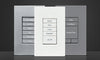
- Temperature display on keypads: Control4 keypads can display the current room temperature at a glance.
- Seasonal climate presets: Summer and winter presets activate automatically based on outdoor temperature, shifting default setpoints.
- Heated towel rail timer: Bathroom towel rails activate 30 minutes before the scheduled wake-up time and switch off automatically after two hours.
- AV cabinet cooling: A temperature sensor in the AV cabinet triggers a dedicated exhaust fan if internal temperature exceeds 35°C.
- Holiday energy-saving mode: One button puts the whole home into holiday mode: AC at minimum, pool pump on minimal schedule, and all non-essential loads off.
Security and Safety Ideas (38–49)
- Full perimeter CCTV coverage: IP cameras covering every external corner, front driveway, rear lane, and alfresco area with remote viewing through the Control4 app.
- Front door video intercom: See and speak to whoever is at the door from any screen or your phone, and release the door lock remotely.
- Smart lock with temporary PIN codes: Create temporary PIN codes for trades or housekeepers that expire automatically without handing over a physical key.
- Package delivery camera alert: A camera sends a push notification with a snapshot whenever motion is detected at the front door.
- Panic button / alarm scene: A dedicated button triggers all lights full on, outdoor lights blinking, alarm siren activating, and optional notification to nominated contacts.
- Kids home from school notification: A smart sensor on the front door sends a push notification when the door opens during the after-school window (3pm–4:30pm).
- Occupancy simulation in holiday mode: The system randomly activates and deactivates lights across the home in the evening to simulate occupancy.
- Smoke and CO detector integration: When a detector triggers, Control4 activates all lights at full brightness and deactivates the HVAC to prevent smoke circulation.
- Water leak detection: Sensors under sinks and behind appliances trigger an alert and optionally close a smart water shutoff valve.
- Glass break sensors: Acoustic sensors detect the frequency signature of breaking glass and trigger the alarm system.
- Gate intercom with electric release: A video intercom at the front gate with electric release lets you admit visitors from anywhere.
- PIR perimeter detection: Passive infrared detectors in the garden trigger external lighting and CCTV recording on movement detection.
Outdoor and Pool Ideas (50–59)
- Smart pool pump scheduling: Pool pump runs during off-peak electricity hours with manual override available from the app.
- Weather-linked irrigation control: Smart irrigation controllers check the forecast and skip a scheduled watering cycle if rain is expected.
- Alfresco audio on local keypad: An outdoor-rated keypad at the alfresco controls audio volume and source selection without needing a phone.
- Motorised retractable awning: A wind sensor automatically retracts the awning when wind speed exceeds a safe limit.
- Weatherproof outdoor TV: A weatherproof display in the alfresco or pool area, integrated with the main AV system.
- EV charger on off-peak scheduling: Your EV charger activates automatically during the cheapest overnight electricity tariff window.
- Carport or garage arrival lighting: Motion sensor or geofencing triggers carport and path lighting when you arrive.
- Soil moisture monitoring for gardens: Sensors in garden beds trigger irrigation only when genuinely needed, reducing water use.
- Outdoor security lighting on motion: Perimeter lighting activates at full brightness on motion detection after dark, then dims to 20% after two minutes.
- Smart letterbox notification: A sensor sends a push notification when mail is delivered.
Energy and Sustainability Ideas (60–67)
- Solar panel generation monitoring: Live solar generation data integrated into the Control4 dashboard.
- Battery storage management: If you have a home battery (Tesla Powerwall, Sungrow), Control4 can display state of charge and integrate with time-of-use tariff scheduling.
- Hot water system on off-peak tariff: Smart relay control activates your electric hot water system only during cheaper electricity hours.
- Pool equipment on energy scheduling: Pool pump, cleaner, and heater on automated schedules timed to off-peak rates.
- Auto-off in unoccupied rooms: Occupancy sensors automatically switch off lights and adjust AC setpoints when a room has been unoccupied for a programmable period.
- Whole-home energy consumption dashboard: Circuit-level energy consumption data displayed in the Control4 interface — identifying energy hogs and tracking monthly trends.
- EV charging managed with solar generation: A solar-aware EV charger throttles charging power to match available solar generation.
- Standby power elimination when away: An "Away" macro turns off all non-essential loads at a smart power strip or relay level.
Convenience and Lifestyle Ideas (68–78)
- Geofenced smart lock: Your phone's location triggers the front door to unlock automatically when you're within range — no keys required.
- Unified voice control: Amazon Alexa, Google Assistant, or Siri controls the entire home through Control4's integration.
- Holiday mode from anywhere: The Control4 app gives you full remote control: check every camera, activate any scene, adjust the AC, or see who rang the doorbell.
- Laundry appliance notifications: A smart plug detects when the washing cycle ends and sends a push notification — no more forgotten wet laundry.
- Motorised blinds and curtains on a schedule: Block-out blinds rise automatically at your programmed wake time; sheer blinds lower at sunset for privacy.
- Coffee maker integrated with morning routine: A smart plug on your coffee maker activates when the morning scene triggers — coffee is brewing by the time you've showered.
- Guest access with limited permissions: Create a guest profile in Control4 providing access to guest room controls but not security settings or master bedroom.
- Pet monitoring camera: A pan-tilt IP camera integrated with Control4 lets you check on your pets from your phone during the workday.
- Bespoke guest welcome scene: When guest mode is activated, the system sets guest bedroom temperature, turns on ambient lighting, and plays soft music.
- "All off" button at the front door: A single keypad button deactivates all lights, adjusts the climate to away mode, confirms all garage doors are closed, and arms the security system.
- Motorised projector screen in the living room: A wall or ceiling-mounted projector screen descends automatically when movie mode is triggered and retracts when you're done.

Where to Start With Home Automation
- Identify the five ideas that matter most to your lifestyle. Are you primarily motivated by security, entertainment, convenience, or energy? Start there.
- Separate infrastructure from features. Cable, conduit, and networking need to be done properly upfront. The features (automation scenes, schedules, integrations) can be added and refined over time.
- Consider your home type. A new build allows planning and pre-wiring from the start. An existing home may require a staged approach.
- Talk to a professional before buying anything. The most expensive mistakes are clients who've bought incompatible consumer products and are starting over with a professional system.
See our guides to Control4 for Australian homes and smart home costs in Australia to start building your brief. Explore our range of Control4 products to see what's possible.
Frequently Asked Questions
Which home automation ideas add the most value to a Sydney property?
In our experience, the features buyers respond most to are integrated security and CCTV, smart lighting with scene control, multi-room audio, and motorised blinds. Energy management features (solar integration, EV charging, battery storage) are increasingly valued as energy costs have risen.
Can I implement just a few of these ideas without a full Control4 system?
Yes. A Control4 system scales from a modest starter setup up to comprehensive whole-home systems. You don't need to implement 78 ideas — most of our best projects start with 5–10 well-chosen features. The value of a professional system is that it's designed to grow: add features as budget and priorities develop, without replacing the core infrastructure.
What's the best first step if I want to explore smart home options?
Book a free consultation with our team. We visit your home, understand what you're trying to achieve, and provide an honest assessment of what makes sense for your situation and budget — without any obligation to proceed. Visit our consultation page to arrange a time.
Book Your Free Consultation →