

Control4 vs Home Assistant: Professional Smart Home vs DIY — An Honest Comparison for Australians
Home Assistant has become the platform of choice for technically minded DIY enthusiasts around the world — and for good reason. It's free, extraordinarily flexible, and has a passionate open-source community that adds new integrations almost daily. Control4 is the opposite in almost every way: proprietary, dealer-only, and expensive. So when a client in Marrickville or Gordon calls us and says "I've been looking at Home Assistant — why should I pay for Control4?", it's a fair question. Here's an honest answer.

What Is Home Assistant?
Home Assistant (HA) is an open-source home automation platform that runs on a local server — typically a Raspberry Pi, Intel NUC, or a dedicated Home Assistant Green or Yellow device. It integrates with thousands of smart home devices, cloud services, and protocols including Zigbee, Z-Wave, Matter, Wi-Fi, Modbus, and many more. Installation is free; the software is developed and maintained by the open-source community and Nabu Casa, a company that provides optional cloud services for about $10 USD/month.
The appeal is obvious: no licensing fees, no mandatory dealer, no monthly costs beyond the optional Nabu Casa subscription. You own your data, you control your automations, and if you know what you're doing, you can make Home Assistant do almost anything.
What Is Control4?
Control4 is a professionally installed, dealer-programmed smart home platform with over 500,000 installations worldwide. Every Control4 system is designed and configured by a certified dealer using Control4's Composer Pro software — software the homeowner never sees or needs to understand. The result is a polished, reliable system that works the way it was designed to work, without the homeowner needing any technical knowledge to use or maintain it.
As a Control4 Platinum Dealer, we design and install Control4 systems across Sydney and NSW. We handle everything from the initial consultation and system design through to installation, programming, handover training, and ongoing support. You can read more about what Control4 is and how it works.
Control4 vs Home Assistant: Head-to-Head
| Factor | Control4 | Home Assistant |
|---|---|---|
| Cost | $5,000–$300,000+ depending on scope | Hardware $50–$500; software free |
| Setup | Dealer designs, programs, installs | User installs and configures |
| User interface | Purpose-built app, touchscreens, keypads, remotes | Customisable dashboard (requires setup) |
| Reliability | Very high — engineered for stability | Varies — updates can break integrations |
| Support | Professional dealer (phone, onsite) | Community forums, Reddit, GitHub |
| AV / cinema integration | Excellent — native drivers for all major brands | Good for IP-based devices; limited for serial/IR |
| HVAC integration (Daikin) | Native driver, full scene integration | Yes (community integration, varies by model) |
| Dedicated hardware (keypads, touchscreens) | Full range — beautiful Control4 hardware | Limited — typically tablets or third-party |
| Ongoing modifications | Dealer visit or remote access (paid) | You do it yourself (free) |
| Time investment | Near zero — hand off to the dealer | Significant and ongoing |
| Suitable for | Homes wanting a seamless, turnkey system | Tech-enthusiasts who enjoy tinkering |
The Honest Case for Home Assistant
We're a Control4 dealer, so it would be easy for us to dismiss Home Assistant. But that wouldn't be honest. If you're technically capable, enjoy tinkering with technology, and have the time to maintain your system, Home Assistant is genuinely impressive. The integration library is extraordinary — there are HA integrations for obscure Australian power meters, local Daikin reverse-cycle systems, Fronius solar inverters, SolarEdge, Amber Electric's dynamic pricing API, and hundreds of other devices that Control4 simply doesn't support natively.
For a technically minded homeowner who wants full control, complete data ownership, and a system they can modify themselves without any dealer involvement, Home Assistant can be transformative. The community is massive and extremely helpful.
The Hidden Costs of DIY
The common misconception about Home Assistant is that it's free. The software is free. Your time is not.
Here's what people don't account for:
- Setup time: A reasonably complex Home Assistant installation — integrating HVAC, lighting, cameras, door locks, and audio — typically takes 20–60 hours of initial setup. More if you want a polished dashboard.
- Maintenance time: Home Assistant updates frequently. Major version updates sometimes break custom integrations, requiring troubleshooting. Budget 2–5 hours a month for ongoing maintenance if you have a complex system.
- Hardware: A reliable Home Assistant setup needs a proper server (not just a Pi), a good network, and compatible smart devices. Budget $500–$3,000 for hardware depending on scope.
- Integration failures: Community-maintained integrations can break when a manufacturer changes their API. The Daikin BRP integration has broken more than once with firmware updates. Fixing this yourself is feasible — but not at 11pm before your kids' school morning.
- Partner/family acceptance: The 'WAF' (partner/family acceptance factor) is very real. If the smart home only works reliably when you're home to maintain it, the rest of the household stops trusting it. Control4 is specifically engineered to be used by non-technical family members.

What Control4 Delivers That Home Assistant Can't Match
Dedicated Hardware That Just Works
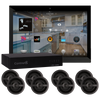
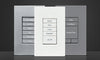
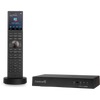
Control4's physical hardware — the keypads, touchscreens, remotes, and in-ceiling speakers — is designed specifically for its platform. A Control4 keypad doesn't need a Raspberry Pi to run; it has intelligence built in. If your internet goes down, your Control4 lighting and HVAC scenes still work. This is critical in a family home.
True AV Integration
Control4's heritage is in AV control. Its drivers for Denon, Marantz, Sony, Epson, Samsung, and dozens of other AV brands go deep — volume, input switching, power sequencing, lip sync correction, all controlled from a single interface. Home Assistant can do basic IP control of some of these devices, but the depth of integration isn't comparable. For a home cinema in a Vaucluse or Wahroonga home, Control4 is in a different league.
Browse our Control4 product collection to see the hardware available for Australian homes.
Professional Scenes and Automation
Control4 scenes are programmed by someone who installs these systems for a living. When you press 'Good Morning', the right lights come on at the right level, the Daikin system starts in the right mode, the blinds open, and your preferred playlist starts in the kitchen. These automations are built, tested, and refined by a professional — not something you configure yourself at 10pm after watching a YouTube tutorial.
Ongoing Support
When something stops working in a Control4 home, you call your dealer. We can often diagnose and fix issues remotely. If an onsite visit is needed, we come to you. There's no forum post waiting 48 hours for a reply from someone in a different timezone.
The Hybrid Approach: Home Assistant + Control4
Some sophisticated homeowners run both. A Control4 system handles the core AV, lighting, and HVAC control for the family, while a separate Home Assistant instance handles niche integrations — solar monitoring, energy dashboards, obscure device APIs — that the technically minded homeowner uses personally. The two can coexist on the same network without conflict. This isn't common, but it's a legitimate approach for homes where one person is deeply technical and the rest of the family needs simplicity.
Cost: What's the Real Difference?
Let's be direct. For a 4-bedroom Sydney home with lighting control, HVAC, multi-room audio, and cinema, here's a realistic comparison:
| Component | Control4 (AUD) | Home Assistant DIY (AUD) |
|---|---|---|
| Control hardware / server | $3,000–$8,000 | $300–$1,500 |
| Lighting control hardware | $8,000–$20,000 | $2,000–$8,000 (Zigbee/Z-Wave) |
| Multi-room audio | $8,000–$18,000 (Sonos + integration) | $3,000–$10,000 (Sonos/Squeezeboxes) |
| Cinema / AV control | $5,000–$15,000 | $500–$3,000 (IP control, limited depth) |
| Networking (Ubiquiti UniFi) | $3,000–$8,000 | $1,500–$5,000 |
| Installation + programming | $8,000–$20,000 | Your time (40–100 hours) |
| Total | $35,000–$80,000 | $7,500–$28,000 + your time |
The DIY route is genuinely cheaper in dollar terms. But the 'your time' row is real. At a conservative $100/hour valuation of a professional's time, 100 hours of setup and ongoing maintenance is $10,000 — and that doesn't account for the frustration factor or the reliability gap. See our full cost guide for smart home pricing in Australia.
Who Should Choose Which
Choose Home Assistant if:
- You're a developer, engineer, or IT professional who genuinely enjoys this kind of project
- You have time to invest in setup and ongoing maintenance
- Budget is your primary constraint and you're comfortable with trade-offs in reliability
- You want integrations with niche Australian services (energy monitoring, solar, EV charging, dynamic tariffs)
- You live alone or with a technically tolerant partner
Choose Control4 if:
- You want a system the whole family can use without understanding how it works
- Your time is valuable and you'd rather invest money than hours
- You want a home cinema or serious AV setup with deep, reliable integration
- You're building a new home and want professional-grade outcome
- You want someone to call when something isn't working
We also compare Control4 to other professional platforms in our Control4 vs Savant vs Crestron comparison.
FAQ: Control4 vs Home Assistant Australia
Can Home Assistant control my Daikin ducted system?
Yes, through community integrations like the Daikin BRP072 or the Daikin One integration. These work well in most cases but have been affected by firmware updates in the past. Control4's Daikin driver is maintained professionally and typically handles these changes without user intervention. For large multi-zone Daikin systems in a new build, the Control4 integration is more robust.
Is Home Assistant reliable enough for a family home?
It can be. Homeowners who run Home Assistant on quality hardware (not a Pi), with a stable network, and who invest time in proper setup, report high reliability. But it requires ongoing attention. Control4's reliability advantage is most pronounced in family homes where non-technical users expect lights and climate to work without any setup or troubleshooting.
Can I hire someone to set up Home Assistant for me professionally?
Some IT consultants in Sydney offer Home Assistant setup services, but this is not a standardised trade. There's no certification programme, no warranty framework, and no established support structure. If the installer moves on or closes, you're left maintaining a custom system. Control4 has a structured dealer network and established support pathways.
Will Home Assistant become more reliable over time?
It already has — significantly, compared to 5 years ago. Nabu Casa is professionalising the platform and the hardware lineup (Green, Yellow, Voice PE) shows ambition. But the fundamental architectural difference remains: Home Assistant is maintained by the community and Nabu Casa's small team, while Control4 has a large product development and QA organisation behind it. For residential use cases demanding zero tolerance for failure, Control4 remains the more reliable choice.
What does a Control4 service agreement cost in Australia?
Annual service agreements with a certified Control4 dealer in Australia typically range from $500 to $2,000 per year, depending on system size and the scope of support included (remote monitoring, priority callouts, software updates, annual health checks). This compares favourably to the time investment of self-managing a Home Assistant system at the same capability level.
Book Your Free Consultation →